Where Application Performance Monitoring Quietly Impacts Technical Teams

Buying a monitoring tool without building a real practice leads to more staff leaving technical teams. The hidden cost is not just the tool, but the quiet loss of talent and stability.
When application performance monitoring gets treated as a one-time purchase, the real costs show up somewhere unexpected: not in the systems, which mostly keep running, but in the people who keep them running, who start to feel the strain wear them down.
A monitoring tool can catch slowdowns and outages, but it cannot solve the underlying issues on its own, and that gap is where trouble gathers. When teams are left to react to alerts instead of improving processes, stress builds up quietly, long before anyone names it a problem.
The basics of application performance monitoring are simple enough: track how your software runs, spot problems early, keep users happy. What is not so simple is the choice sitting underneath those basics—whether you treat the work as a tool you install or a practice you run—and that choice shapes everything that follows.
The hidden cost of firefighting
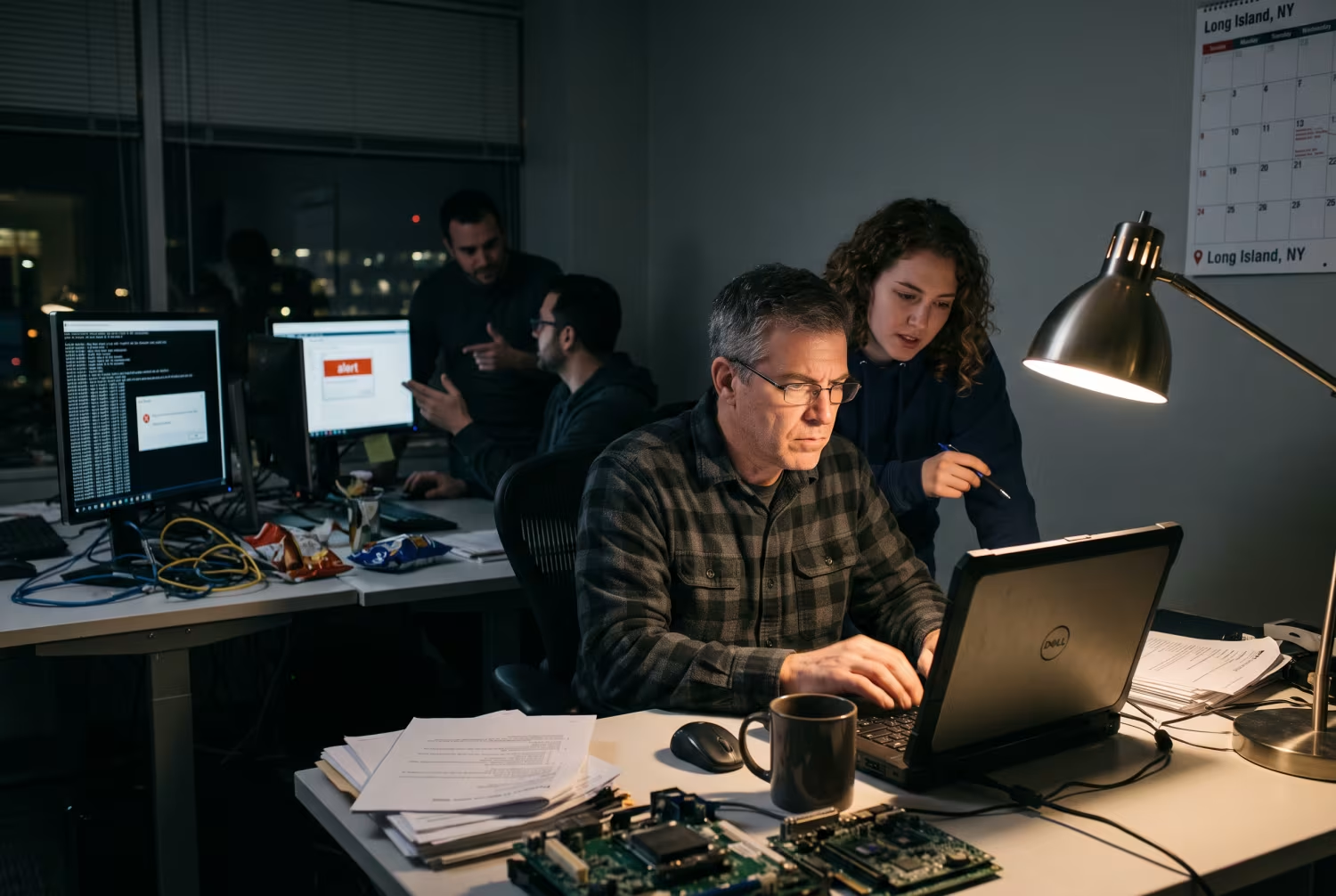
Many businesses buy monitoring tools expecting fewer problems, but the reality that follows is often more complicated. When monitoring gets treated as a quick fix, teams end up spending more time responding to alerts than actually improving the system that keeps triggering them.
This constant state of reaction has a name: firefighting. It means always putting out small fires instead of preventing them, and over time, that grind wears down even the most skilled technical staff.
People start to feel like they are never ahead of the problems. Rather than learning from incidents, they get stuck in a loop of alerts and temporary fixes, and that loop can make the work feel overwhelming and unrewarding.
As technical teams stay on edge, turnover quietly rises. Staff leave for roles where they can make a real difference instead of just reacting to issues, and businesses are then left to cover the cost of hiring and training replacements—on top of whatever the monitoring tool itself already costs.
Why application performance management is more than a tool
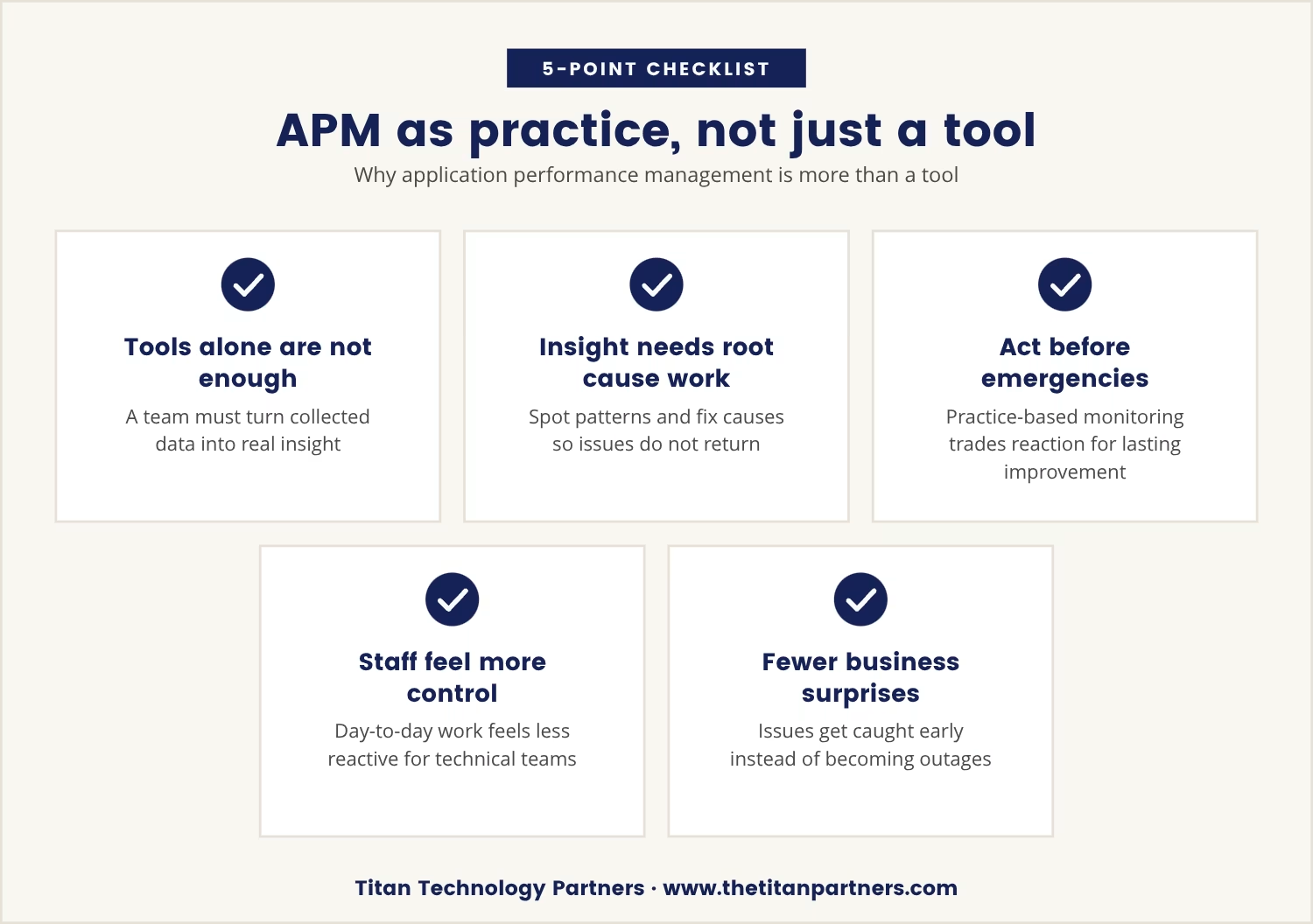
Application performance management is not just about installing software; it is an ongoing practice that needs regular attention and improvement. That distinction matters because a tool can only collect data—it takes a team to turn that data into real insight.
Turning data into insight means looking for patterns, understanding root causes, and making changes that keep issues from coming back. Once monitoring is treated as a practice rather than a purchase, teams are empowered to act before problems become emergencies, trading constant reaction for long-term improvement.
That shift changes how the work feels day to day: technical staff feel more in control of their own time. It also means fewer surprises for the business, since issues get caught and resolved early instead of surfacing as outages.
Application performance monitoring in New York: Local context matters
In New York, businesses often face unique challenges simply because of the scale and complexity of their IT environments. Fast response times and reliable systems are expected as a baseline, especially in industries like finance and healthcare, where the margin for delay is thin.
Because that baseline is so demanding, even small issues escalate quickly once monitoring sits outside daily operations rather than inside it. Local regulations can also require certain levels of availability and performance, adding further pressure onto technical teams already stretched thin.
Making monitoring a regular part of the workflow eases that pressure, reducing stress on staff and avoiding costly disruptions. That matters most in a competitive market, where downtime does not just interrupt work—it can mean lost business outright.
How treating monitoring as a practice changes team outcomes
Turning application performance monitoring into an ongoing practice brings several benefits for technical teams, each one addressing a different piece of the firefighting problem described above. Here is how the difference plays out:
Proactive problem solving
Teams get the time to analyze trends and address root causes, not just react to alerts.
Better knowledge sharing
Regular reviews and discussions help everyone understand the system and learn from incidents.
Reduced burnout
Staff feel more in control and less overwhelmed by constant emergencies.
Higher retention
People are more likely to stay when they see their work making a difference.
Stronger collaboration
A shared focus on improvement brings teams together and builds trust.
Signs your team is stuck in a monitoring tool mindset
Falling into the trap of treating monitoring as just a tool is not always obvious from the inside. A few warning signs tend to give it away:
- Frequent alerts: Teams spend most of their time responding to notifications instead of improving the system.
- Recurring incidents: The same problems keep coming back, with no real solution in place.
- Low morale: Staff seem frustrated, tired, or uninterested in long-term projects.
- High turnover: Technical team members leave more often than in similar companies.
- Missed improvement opportunities: There is little time or energy left for process changes or training.
Building a sustainable monitoring practice
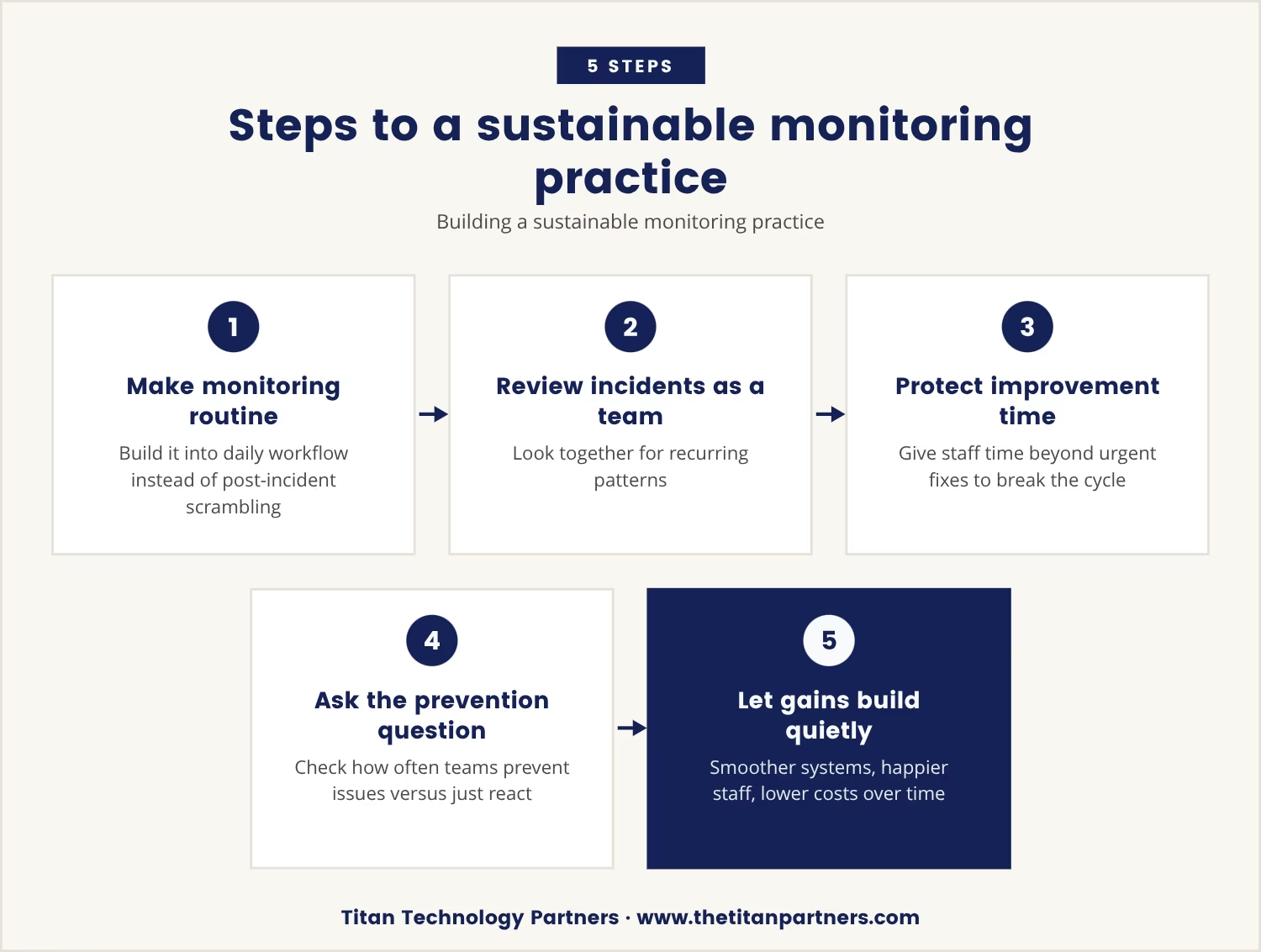
Shifting from a tool-based approach to a practice takes effort, but the payoff is worth it, and the shift starts small: make monitoring part of the regular workflow instead of an afterthought bolted on after an incident.
From there, encourage the team to review incidents together and look for patterns, and invest in training so everyone understands how to use the monitoring tool effectively. Give staff time to work on improvements, not just urgent fixes, since without that time the same cycle just repeats.
If you are not sure where to begin, ask yourself: how often do your technical teams have time to prevent problems, instead of just reacting to them?
Answering that honestly tends to point the way forward, and the changes that follow add up quietly over time. Staff feel more valued, systems run more smoothly, and the business saves money by avoiding both downtime and high turnover.
The quiet impact on your business
When application performance monitoring is treated as an ongoing practice, the benefits extend well beyond the IT department. Staff turnover drops, knowledge stays within the company, and technical teams stay more engaged in the work itself.
Because of that, the approach does not just protect the systems—it protects the people behind them. Businesses that invest in ongoing monitoring practices see fewer disruptions and a stronger, more stable team working quietly behind the scenes.
How we help technical teams stay ahead, not just afloat
At Titan Technology Partners, we know that businesses with 15 to 50 users often feel stuck reacting to issues instead of preventing them. Our team sees how easy it is for monitoring to become just another tool, leaving your technical staff overwhelmed and turnover high.
If you are ready to see how a true monitoring practice can support your team and protect your business, let’s talk about your current setup and what could work better.
Ready to stop losing talent to burnout?
Qualifying businesses can secure and standardize their IT in 90 days with Titan Technology Partners or pay no onboarding fee.
Frequently asked questions
How does application performance monitoring help with user experience?
Application performance monitoring tools track how users interact with software in real time. Spotting slowdowns or errors quickly means fixing issues before they reach customers, which adds up to a smoother, more reliable experience for everyone using the application.
What is the difference between an apm tool and a full monitoring practice?
An APM tool collects data and sends alerts; a full monitoring practice uses that information to improve systems on an ongoing basis. The practice includes reviewing incidents, learning from them, and making changes that prevent future problems—the tool is just one part of that larger process.
Why do technical teams get burned out from constant monitoring alerts?
Teams that are always reacting to alerts rarely get time to address the root causes behind them. That cycle of constant firefighting makes the work feel stressful and unrewarding, which drives burnout and higher staff turnover.
Can cloud environments make monitoring easier or harder?
Cloud environments offer more flexibility and scalability, but they also add complexity, since monitoring tools need to be set up to track resources across different platforms and services. A solid monitoring practice helps teams manage that complexity and keep systems running smoothly.
How can I encourage my team to share insights from monitoring data?
Create regular opportunities for the team to discuss what they are seeing in the monitoring data, and encourage open communication alongside reward for proactive problem-solving. Over time, that combination builds a culture where sharing insights becomes a normal part of the workflow.